
At first, it looks simple.
A new hire starts Monday. HR submits a ticket. IT assigns a Microsoft 365 license. Everyone moves on.
Then another hire starts. A contractor joins for three months. A department restructures. A merger closes. A project spins up and shuts down. Someone leaves but keeps access “just in case.”
Before long, what started as a manageable process turns into a quiet operational drain.
Spreadsheets multiply. License counts don’t match invoices. Audits become fire drills. Finance asks uncomfortable questions. Security wonders why inactive accounts still have premium access.
If you’re an IT Director, VP of Infrastructure, or CTO, this story probably sounds familiar.
The Invisible Complexity Behind Microsoft Licensing
Microsoft 365 is designed to enable productivity at scale. But managing licensing at scale is another story entirely.
Every tenant accumulates:
-
multiple SKUs
-
overlapping subscription tiers
-
underutilized premium licenses
-
inactive users with assigned access
-
duplicate provisioning across departments
The licensing model is powerful but nuanced. Features are bundled, upgraded, deprecated, and replaced. Entitlements evolve. Pricing changes. Usage patterns shift.
What worked six months ago may already be misaligned today.
According to guidance from Microsoft, organizations must continuously evaluate licensing usage to maintain compliance and cost efficiency. Yet most environments rely on periodic reviews, manual exports, or reactive cleanup efforts.
The result is a slow drift between what you’re paying for and what you’re actually using.
When Manual License Administration Breaks Down
Manual license management doesn’t fail dramatically. It fails quietly.
IT teams export reports from the Microsoft admin center. They reconcile user lists. They check usage metrics. They attempt to map license tiers to real usage.
This process consumes valuable engineering time — time that should be spent on security initiatives, infrastructure resilience, or digital transformation.
Meanwhile:
-
Finance sees licensing spend increase year over year.
-
Security flags inactive privileged accounts.
-
Compliance teams worry about audit readiness.
-
Leadership questions operational efficiency.
The real issue isn’t licensing. It’s visibility.
Without continuous insight, license administration becomes reactive instead of strategic.
The Executive View: Licensing as an Operational Signal
Forward-thinking IT leaders recognize licensing data as more than a billing artifact.
It reveals:
-
workforce growth patterns
-
application adoption trends
-
security posture gaps
-
operational inefficiencies
-
budget alignment issues
In other words, licensing reflects how the organization actually works.
But extracting that insight manually is like trying to monitor a data center using screenshots.
Enter Automation: From Maintenance to Intelligence
Automation transforms Microsoft 365 license management from a periodic cleanup exercise into a continuous optimization engine.
Instead of spreadsheets and guesswork, automation provides:
-
real-time license utilization visibility
-
detection of inactive or underused licenses
-
automated reclamation opportunities
-
usage-based optimization recommendations
-
tenant-wide and multi-tenant insights
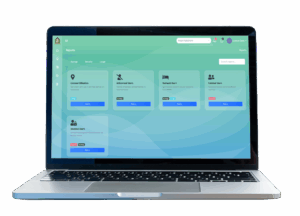
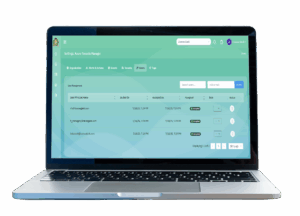
Tools designed for Microsoft 365 license automation help IT leaders align spend with actual usage while maintaining compliance and operational clarity.
Platforms like License Geek provide automation and analytics to identify unused licenses, optimize assignments, and streamline multi-tenant management — without disrupting existing workflows.
This is not about replacing IT decision-making. It’s about enabling it.
Streamlining Operations Without Adding Overhead
For IT directors balancing security, cost control, and service delivery, automation offers immediate operational leverage:
Operational Efficiency
Automation eliminates repetitive audits and manual reconciliation.
Cost Optimization
Unused or underutilized licenses can be identified before renewal cycles.
Security Improvement
Inactive accounts with elevated access are surfaced quickly.
Compliance Confidence
Continuous visibility reduces audit risk.
Scalability
Automation supports mergers, rapid hiring, and global expansion without administrative bottlenecks.
Instead of reacting to licensing drift, IT leaders gain proactive control.
From Cost Center to Strategic Advantage
Microsoft 365 is often one of the largest recurring IT expenses. Yet licensing strategy rarely receives executive attention until costs spike.
Automation reframes the conversation.
Rather than explaining unexpected spend increases, IT can demonstrate:
-
reclaimed budget through optimization
-
improved governance and compliance posture
-
operational efficiencies gained through automation
-
data-driven insights supporting strategic decisions
This elevates licensing management from administrative burden to operational intelligence.
The Quiet Transformation
The most successful IT transformations are rarely dramatic. They happen quietly.
Spreadsheets disappear. Audits become routine. Finance stops asking why costs keep rising. Security risk shrinks. IT teams regain time to focus on innovation.
Microsoft 365 license automation doesn’t just streamline administration. It restores clarity, control, and confidence.
And for IT leaders tasked with doing more with less, that clarity is invaluable.